REPO Mods: Set Up a Multiplayer Profile That Friends Can Match
For repo mods, start with a separate r2modman profile, then check each package’s multiplayer instructions before your group joins. Exporting a profile as a code shares its mod list and configuration; importing it downloads that profile’s mods and configs. It does not make every mod host-only, so check the package page for who must install it.
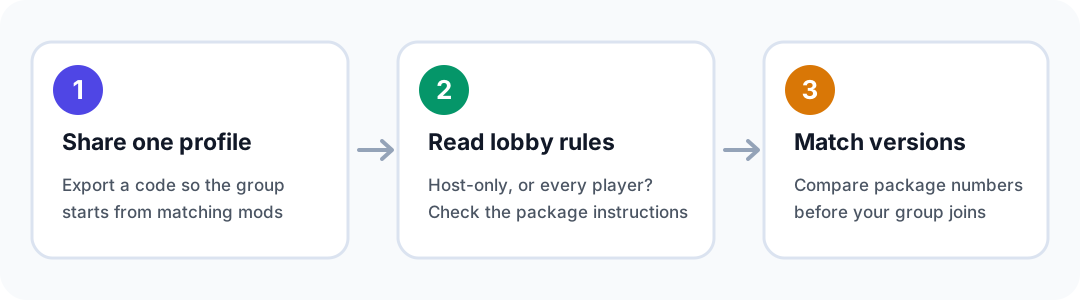
A clean setup for a group
- Install the manager from a trusted project source. The r2modman listing identifies Thunderstore and GitHub as legitimate downloads and warns about third-party redistribution sites. Its profile feature lets you keep separate mod sets and switch between them.
- Make a new REPO profile for this group. Keep the vanilla game and other mod collections separate. Start with only the mods your group actually wants.
- Install the loader and each package’s listed dependencies. Thunderstore’s REPO community lists BepInExPack as a pinned package. Read the selected mod’s Required/Dependencies section before launching.
- Export the profile as a code and send it to the group. Thunderstore’s documentation says importing the code downloads the profile’s mods and configs. Everyone can then start from the same package set instead of searching for each item individually.
- Check versions together before launching. Compare the package versions in the shared profile, especially after a game or mod update. Do not assume a profile code overrides a mod author’s multiplayer or version notes.
Two live package pages show why “multiplayer mod” is not one rule
Thunderstore’s package instructions can answer the most important lobby question: who needs the mod?
| Example package | What its page says | Practical decision |
|---|---|---|
| RoleShuffle | The host can install it while vanilla guests still receive roles, upgrades, effects, and chat/TTS notices. Guests who install it also get the role HUD. The page lists BepInExPack, REPOConfig, and MenuLib requirements. | The host can use the core feature without asking every friend to install the package, but the extra guest HUD is not available to vanilla guests. Install the listed requirements in the host profile. |
| Repo Utility Drones | Its 0.1.3 beta page says the host and every player must install the mod and REPOLib; unmodded guests are unsupported. It also says this is a test-play beta, not a fully multiplayer-verified release. | Do not invite a vanilla friend into this setup. Put it in a separate profile and test it before using it for a planned session. |
Those are package-specific examples, not universal compatibility guarantees. A “client-side” or “server-side” category is useful metadata, but the package’s own multiplayer notes and requirements are the checks to follow. The REPO package directory exposes categories, dependencies, versions, and package descriptions; read the individual entry rather than choosing from its name alone.
Profile or modpack?
Use a profile when a few friends want the same mods and settings quickly. Thunderstore says a profile is a list of mods and their configs; a share code can be imported in the manager, and the import downloads those contents.
Use a modpack when you want a collection published on Thunderstore or expect to update the collection regularly. A modpack’s manifest.json uses each package’s dependency string. Thunderstore’s instructions also note that a modpack can include config files and additional files. For a private one-session group, a profile is usually the simpler handoff; a public, maintained collection is a better fit for a modpack.
A version-specific beta check
The Repo Utility Drones page currently labels version 0.1.3 as beta. It says that if a group is updating from 0.1.0, 0.1.1, or 0.1.2, every player should move to 0.1.3 and replace the old mod rather than leave both DLLs installed. The same page recommends a separate manager profile and test save, and cautions that its controlled solo checks do not establish successful multiplayer compatibility. Recheck the package page on the day you play; these details can change.
Before the lobby opens
- Confirm the game appears in the manager’s selected profile.
- Check every package’s required libraries and multiplayer instructions.
- Share one profile code, then compare package versions if someone has a problem.
- Keep beta or uncertain packages in a separate profile and test save.
- If a package says all players need it, make sure every player has imported the same profile before joining.
The REPO mod listings and package notes above were checked on October 29, 2026. Package status and versions can change; use the linked pages as the current check before a session.
Sources
- Thunderstore Wiki: Modpacks and Profiles
- r2modman on Thunderstore
- R.E.P.O. packages on Thunderstore
- RoleShuffle package instructions
- Repo Utility Drones package instructions
Looking for games that replace R.E.P.O.’s physics-and-hauling loop? See games like R.E.P.O..