Phasmophobia Parabolic Microphone: Read the Sound, Not the Ghost
Use the Phasmophobia Parabolic Microphone to narrow down where a sound came from, not to name a ghost from an ordinary reading. If a teammate’s audio gets muffled after someone turns the device on and drops it, that specific multiplayer bug was fixed in v0.19.0.2.
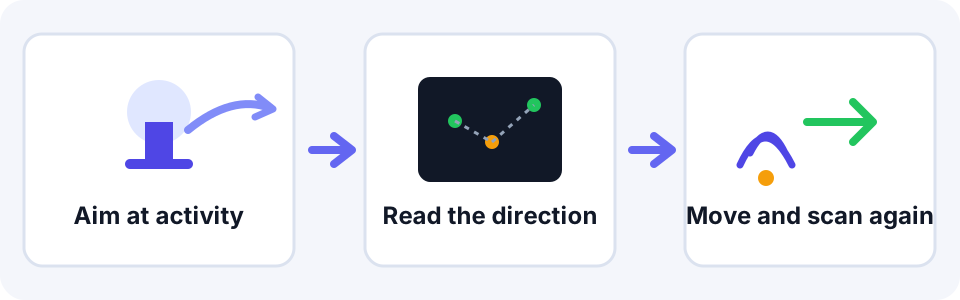
A fast sweep rule
Pan across the likely rooms, note the direction of a hit, then scan again from another position. One blank pass is not a negative ghost test; it only means that sweep captured no usable sound.
The ghost clue ordinary readings cannot give
- Banshee: its distinctive scream through the Parabolic Microphone is a specific tell. An ordinary whisper, footstep, or interaction sound is not that scream. Phasmopedia’s Banshee guide documents the sound clue.
Old audio advice that patch notes changed
| Official patch note | Finding |
|---|---|
| v0.6 | Refresh changed from every two seconds to every second. |
| v0.6 | Player speech, including walkie-talkie use, stopped generating readings. |
| v0.9 | Sounds aimed at and within range became clearer while other sounds were muffled. |
| v0.10 | Readings and sound pickup from inside the truck were disabled. |
| v0.12.1.0 | Kinetic fixed persistent muffled audio after leaving a map with an active Parabolic Microphone. |
| v0.19.0.0 (VR) | Kinetic fixed the Parabolic Microphone's headphones blocking the player's view. |
| v0.19.0.2 | Kinetic fixed a multiplayer bug where dropping the microphone immediately after activation muffled another player's audio. |
For a voice-response device rather than directional audio, see the Phasmophobia Spirit Box guide. For projector-based visual evidence, see the D.O.T.S. Projector guide.
Official patch notes checked November 9, 2026
- Kinetic Games: VR Overhaul v0.6 — refresh interval and player-voice readings.
- Kinetic Games: Ascension v0.9 — directional audio filtering.
- Kinetic Games: Eventide v0.10 — truck pickup/readings and related equipment fixes.
- Kinetic Games: Cursed Hollow v0.12.1.0 — persistent muffled audio after leaving a map with the device active.
- Kinetic Games: v0.19.0.0 Quality of Life Part 2 — VR headset view obstruction fix.
- Kinetic Games: v0.19.0.2 patch notes — multiplayer audio bug fix.