PEAK Mods: Multiplayer Setup and Compatibility Checks
For PEAK mods, decide first whether your group wants a normal vanilla run or a Peak Workshop map. Normal Host Game and Play Offline stay vanilla; Workshop maps run in separate modded rooms, and every player in that room needs Peak Workshop. Its maps download when friends join, but its online Workshop browser needs internet.
These details are specific to the Peak Workshop package checked on , not universal rules for every PEAK mod. The developers describe modding as community-run and warn that mods are not guaranteed to work with console players.
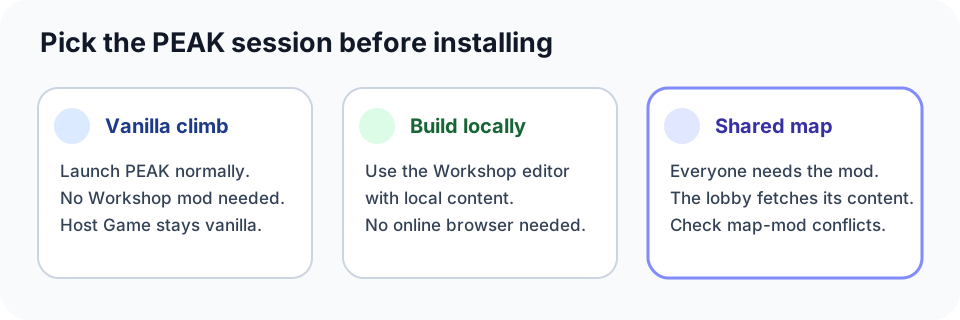
Choose the right PEAK setup
| What your group wants | Setup | Who needs it? | Check before starting |
|---|---|---|---|
| A normal climb with no custom map | Launch PEAK normally through Steam | No Workshop mod is needed | The package page says ordinary Host Game and Play Offline stay vanilla. |
| Build or test a map alone | Open the Workshop editor with local content | The creator | The editor works with local content; the online Workshop and lobby browser require internet. |
| Play a Workshop map together | Use the Peak Workshop sign and its modded lobby | Everyone in that lobby | Modded rooms are separate; unmodded friends cannot see or join. Needed maps, assets, and items download on join. |
What the PEAK developers say about mods
Landfall’s PEAK FAQ points players to the unofficial modding community and explains that PEAK does not use Steam Workshop. The developers say they support community modders, but they do not guarantee that mods work with console players. They specifically say client-side mods may work, while advising players to remove mods when diagnosing a bug.
Treat that as a boundary for the whole group: a Steam mod listing is not proof of console compatibility or cross-platform support. If anyone in the party is on console, agree to play unmodded unless the exact mod and setup have been verified for that combination.
Peak Workshop installation and compatibility
The Peak Workshop package page says it requires BepInExPack for PEAK. With r2modman or Thunderstore Mod Manager, the listing says the loader comes along automatically. For a manual install, follow the package’s current instructions rather than copying an old folder recipe: paths and requirements can change.
Before inviting friends, confirm everyone has Peak Workshop. Its modded room is separate, and the page says players without the mod cannot join. Needed maps, assets, and items download when players join, so friends do not separately install each map file; the mod itself is still required on every player’s setup.
Check map-generation conflicts too. The current package page names TerrainRandomiser as incompatible because it can make a map look unfinished. It warns that other mods changing map generation may conflict. If a map looks broken, test without those mods first.
Keep custom content and vanilla runs predictable
The package page says ordinary Host Game and Play Offline remain vanilla, and Workshop features start only through the Workshop sign. Use the regular launch for a normal climb; enter a Workshop lobby only when the group intends to use custom content.
Maps and settings are stored in PEAK/BepInEx/PeakWorkshop/, or in the equivalent folder inside a mod-manager profile. The page says mod updates do not touch that content. Note the profile location before reinstalling a manager or moving profiles: updating a mod and migrating a profile are different operations.
If you create a map, inspect miniature assets before publishing. The package page warns that very small models—some around 30 cm—are not scaled up automatically; use the upload screen’s scale controls, including “Fit to height,” when needed.
Language and connection caveats
The checked package page lists English, German, and Simplified Chinese interface text, while noting that newer strings may still appear in English. It also says the online Workshop and lobby browser need an internet connection; the editor and solo play with local content can work without those online services.
Quick decision
- Want vanilla PEAK? Launch the normal game and skip Workshop.
- Want custom maps with friends? Use a Peak Workshop lobby and have every player install the mod.
- A custom map looks incomplete? Disable TerrainRandomiser and other map-generation changes, then test again.
- Only want to build or test locally? The editor can use local content; the online browser is the part that needs internet.